Skip to content
4.8·2M+ happy users

Every photo, instantly enhanced

FxAI is the all-in-one AI photo enhancer for iPhone and iPad. Retouch portraits, restore old memories, edit by describing the change, and erase anything you don't want — one tap, no editing skills, results in seconds.

Free to download · No account required · iPhone & iPad

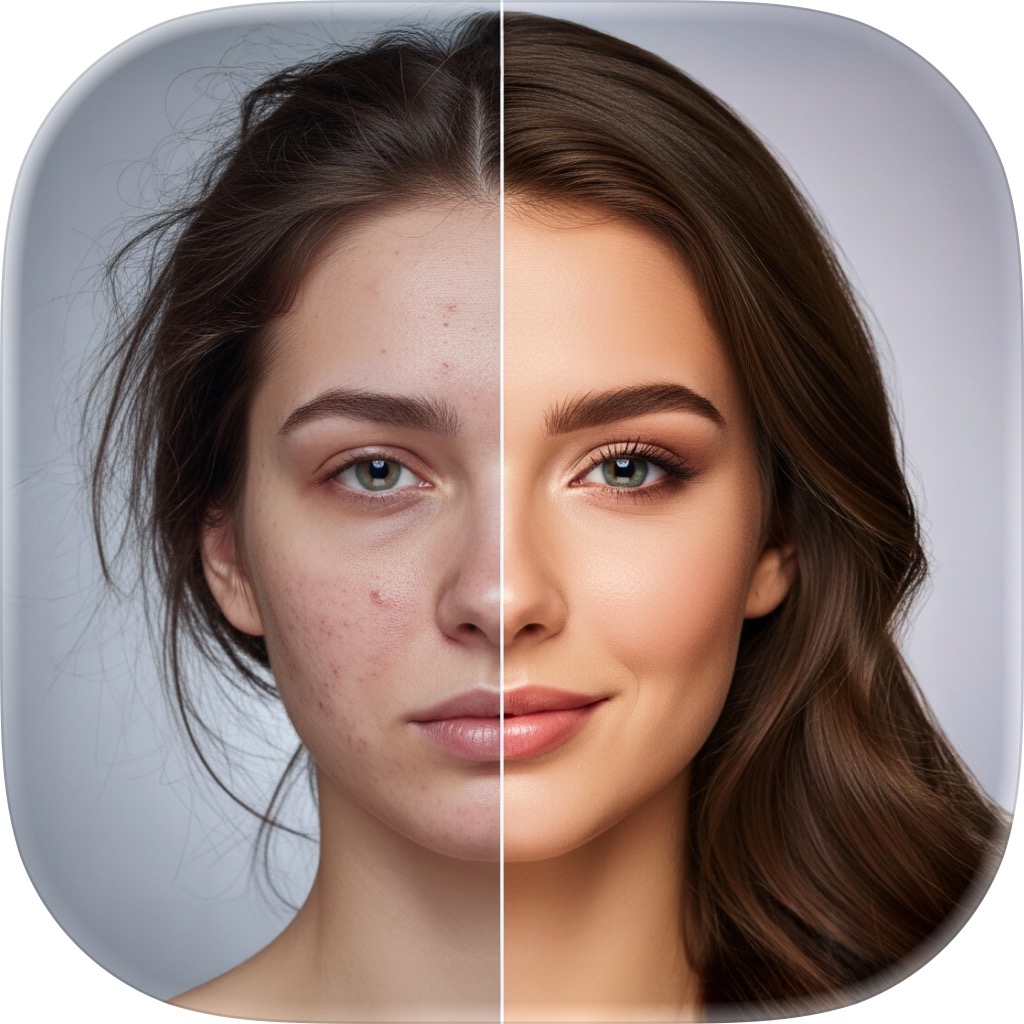
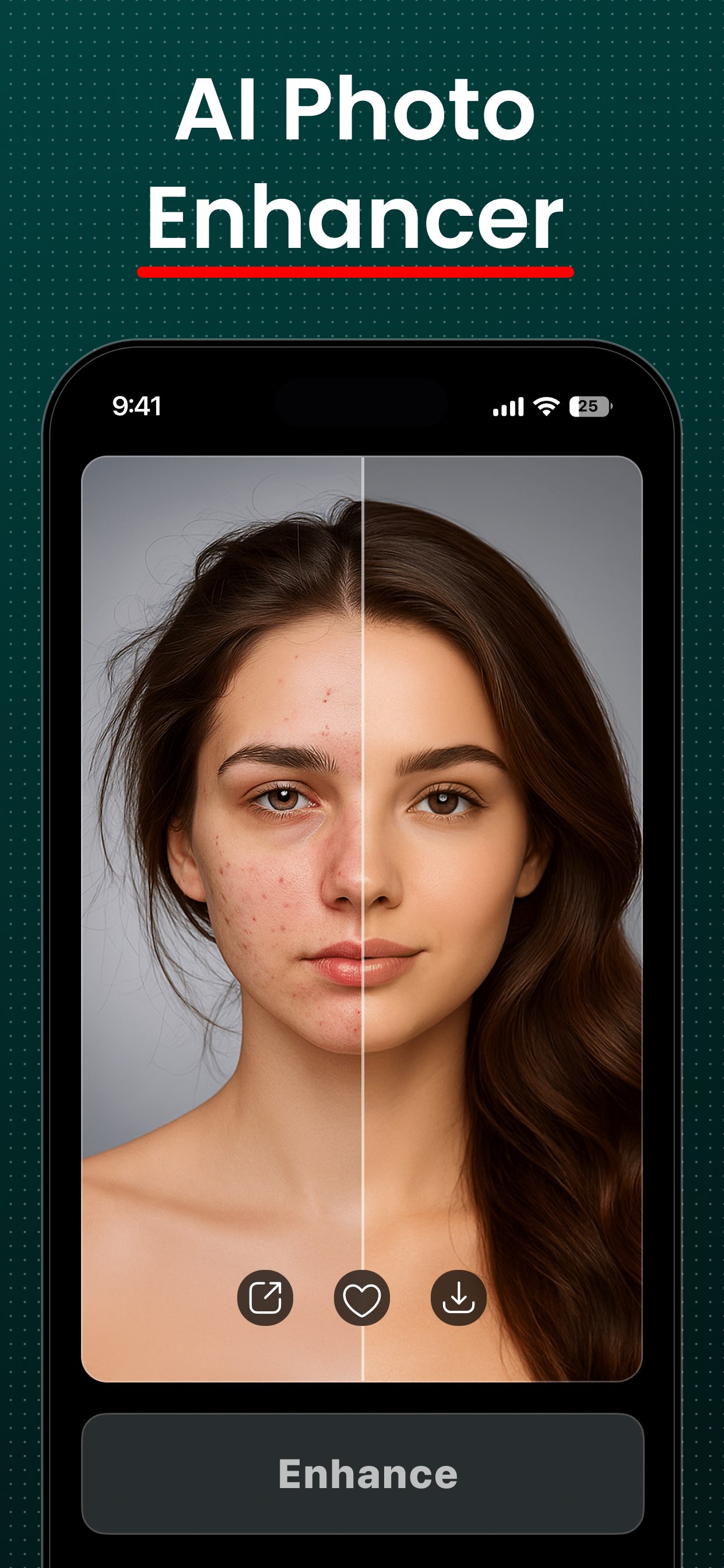
FxAI AI Photo Enhancer retouching a portrait — clear, even skin in one tap.
App Store rating
4.8
Happy users
2M+
AI tools in one app
4
From photo to result
~10s
One app, four AI tools

Everything you need to make a photo better

FxAI bundles what usually takes several professional tools — a retoucher, a restorer, a generative editor, and an object remover — behind one simple, tap-and-go interface.

Retouch

Studio-quality portraits in one tap

Add a selfie or portrait, choose Natural, Enhanced, or Studio strength, and FxAI smooths skin, balances lighting, and adds polish automatically — then shows you the difference on a before/after slider.

  • Three strengths: Natural, Enhanced, and Studio
  • Smoother skin and balanced, flattering lighting
  • Keeps every feature unmistakably yours
  • See the improvement instantly, side by side
About AI Retouch
FxAI AI Photo Enhancer retouching a portrait — clear, even skin in one tap.
Restore

Bring old memories back to life

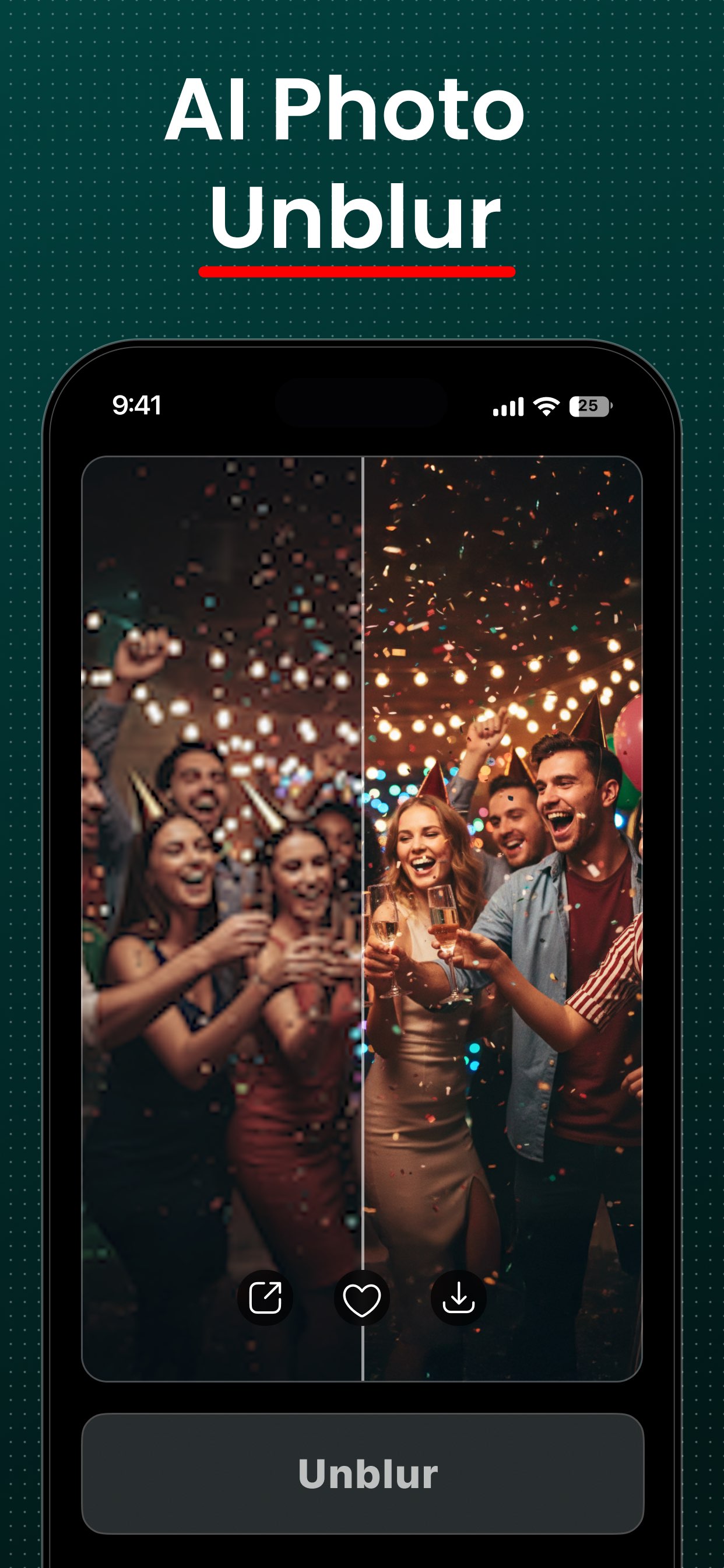
Unblur a soft photo into HD, repair an old or degraded print, or add realistic color to a black-and-white image. Restore is the emotional heart of FxAI — the fastest way to revive a family archive.

  • Unblur turns soft shots into crisp HD
  • Restore repairs old, damaged, or faded photos
  • Colorize adds lifelike color to black-and-white
  • Perfect for reviving family memories
About Photo Restore
FxAI Photo Restore unblurring a soft party photo into crisp HD.
Edit

Change a photo just by describing it

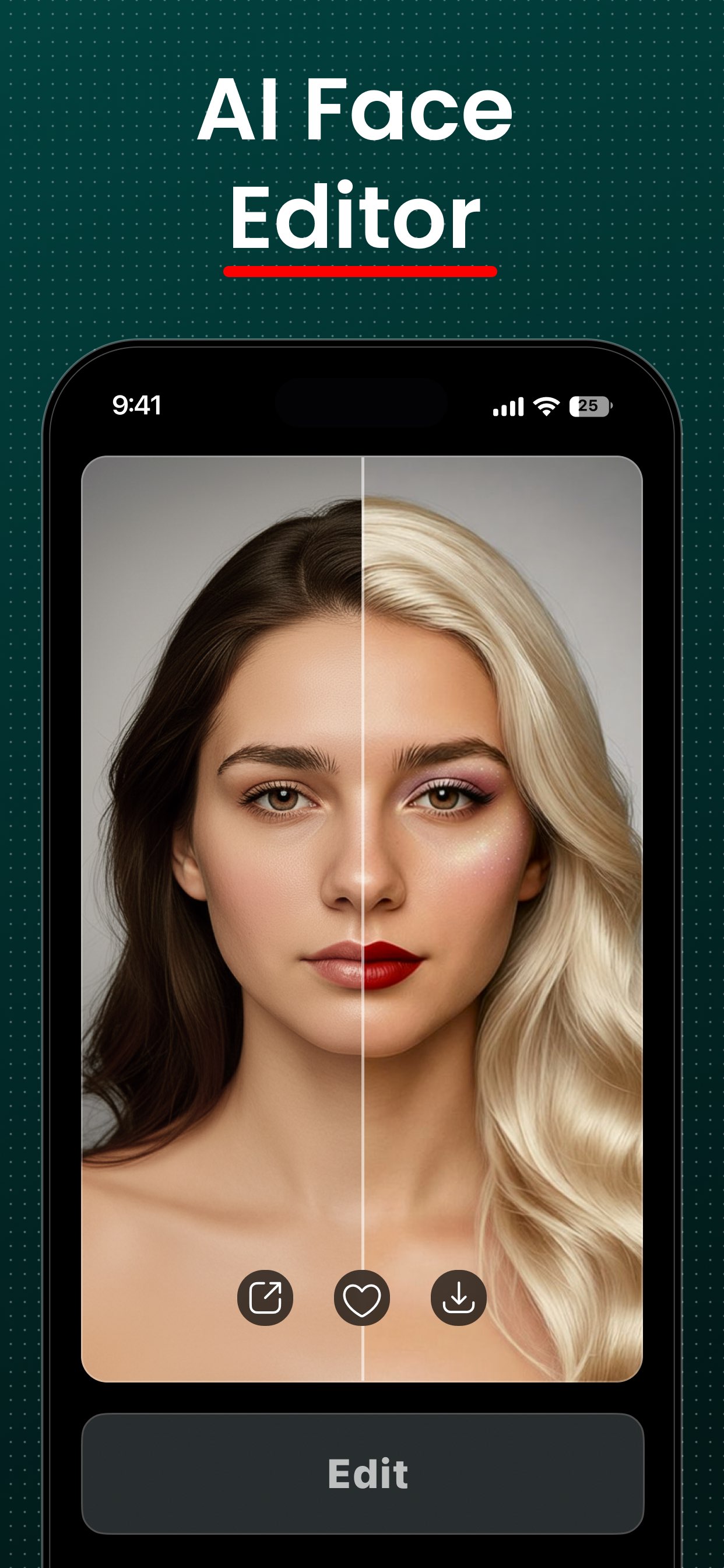
Type what you want — “add sunglasses”, “change the background to a beach” — and FxAI applies it. Every edit builds on the last, so you can refine step by step and generate variations until it's right.

  • Plain-language edits, no tools to learn
  • Iterative, multi-step refinement that remembers context
  • Attach reference photos to guide the result
  • Regenerate variations and pick your favorite
About AI Edit
FxAI AI Face Editor restyling a portrait from a description.
Erase

Remove anything with a brush

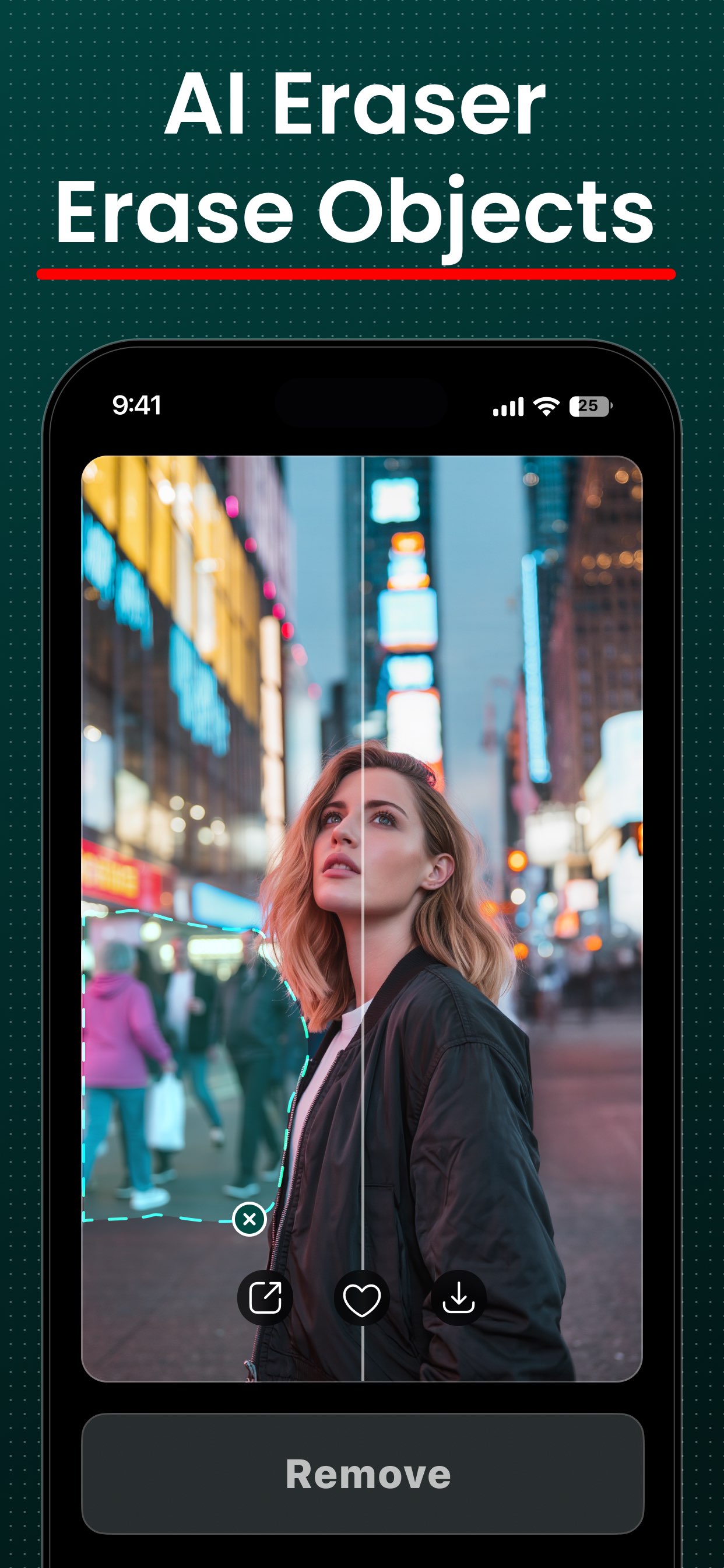
Brush over a photobomber, a stray object, or a blemish and FxAI fills the gap seamlessly. Pan and zoom to work precisely, undo any stroke, and export a clean, distraction-free shot.

  • Brush to remove objects, people, or blemishes
  • Seamless AI fill where the object used to be
  • Pan and zoom for precise, careful edits
  • Undo any stroke before you save
About AI Erase
FxAI AI Eraser removing unwanted people from a street photo.
How it works

From photo to result in four taps

The same simple rhythm powers every tool in FxAI — once you learn one, you know them all.

  1. 01

    Add a photo

    Tap to open your photo library and pick an image. FxAI scales it to Full-HD automatically for fast, consistent processing.

  2. 02

    Pick a tool & options

    Choose Retouch, Restore, Edit, or Erase — then set a strength level, a restore mode, type a prompt, or brush over what to remove.

  3. 03

    Tap the button

    Hit Retouch, Restore, Modify, or lift your finger to erase. A quick “~10 seconds remaining” overlay reassures you while the AI runs.

  4. 04

    Compare, save & share

    Review the result on the before/after slider, then save it to Photos or share it anywhere in a single tap.

Use cases

What people do with FxAI

Whether you're polishing a selfie, reviving a family photo, or cleaning up a shot before you post it, FxAI meets you where your camera roll is.

Selfie & portrait takers

Selfies and portraits that look their best

The problem — Your photo is good, but the lighting is flat and you'd love a more polished, studio-quality version without hiring a retoucher.

With FxAI — Open Retouch, pick Natural, Enhanced, or Studio strength, and FxAI smooths skin and balances lighting in one tap.

Turn a quick phone selfie into a flattering, studio-lit portrait for your profile picture in about ten seconds.

Explore AI Retouch
Families & nostalgia seekers

Restoring old and damaged family photos

The problem — You have precious old prints that are blurry, faded, or black-and-white, and no idea how to bring them back to life.

With FxAI — Use Restore to unblur, repair, or colorize the image — sharpening detail and adding realistic color automatically.

Scan a grandparent's black-and-white photo, tap Colorize, and see it in lifelike color for the first time.

Explore Photo Restore
Creators & social media users

Scroll-stopping social media content

The problem — You need every post to look polished, but editing each photo in a pro app before it goes up takes far too long.

With FxAI — Retouch, edit, or clean up any shot in seconds, then share it straight to any app from the native share sheet.

Retouch a photo, erase a distraction in the background, and post to your Story in under a minute.

Explore AI Retouch
Why FxAI

Built to remove every barrier to a better photo

No skills required

Every tool is a single button. There are no layers, masks, or sliders to learn — you add a photo and tap once.

Four tools in one app

Retouch, restore, generative edit, and erase live under one simple interface, so you stop juggling separate apps.

Visible improvement

Results open on a before/after slider, so the value of every enhancement is obvious at a glance.

Results in seconds

AI processing returns an enhanced image in roughly ten seconds, with an on-screen countdown so you're never left guessing.

Bring memories back

Unblur, repair, and colorize old family photos — the emotional payoff FxAI is built around.

Made for iPhone & iPad

A polished, dark-themed interface that adapts cleanly from a phone in your hand to a larger iPad canvas.

FxAI is for you if you've ever thought…

  • “My selfie is fine but it could look so much better.”
  • “This old family photo is blurry and I'd love to fix it.”
  • “There's a photobomber ruining an otherwise perfect shot.”
  • “I want to change something in a photo but Photoshop is overwhelming.”
  • “I just want a great result fast, on my phone, ready to share.”
Loved by everyday creators

Join 2M+ people already enhancing

FxAI holds a 4.8-star rating in the App Store. Here's what a few of them say.

I colorized my grandmother's black-and-white wedding photo and the whole family teared up. It looks like it was taken yesterday.
Elena M.Restoring family memories
One tap on Retouch and my selfies look like a studio shot. The before/after slider sells it every single time.
Jordan P.Content creator
Erased a total stranger out of my favorite vacation photo in about five seconds. I can't believe it's this easy.
Sam K.Everyday photographer
FxAI Pro

Free to start. Unlimited with Pro.

Every tool is free to use. Upgrade to Pro for unlimited generations, no ads, no watermarks, and priority processing — with a free trial and cancel-anytime billing.

  • Unlimited generations
  • No ads, no watermarks
  • Priority processing
  • Every tool, fully unlocked
The AI Journey family

More AI creativity beyond FxAI

FxAI is part of a broader suite of AI creativity apps by the same team. Discover the companions right from the app's AI Tools tab.

FAQ

Frequently asked questions

Everything you need to know to get started. See the full FAQ.

What is FxAI?
FxAI is an all-in-one AI photo enhancer for iPhone and iPad. It bundles four tools — Retouch, Restore, Edit, and Erase — into one simple app. You add a photo, tap a button, and get a professionally improved result in seconds, shown on a before/after slider.
Do I need any photo-editing experience?
No. FxAI is built for people with zero editing skill. There are no layers, masks, or sliders to learn — each tool is a single button. Pick a tool, add a photo, and tap once.
Is FxAI free?
Yes — FxAI is free to download and use. The free tier is ad-supported and adds a small watermark to saved images. FxAI Pro removes ads and watermarks, lifts usage limits, and adds priority processing.
Which devices does FxAI support?
FxAI runs on iPhone and iPad. The dark-themed interface adapts to larger screens, so you get a comfortable canvas on iPad as well as your phone.
Do I need to create an account?
No. FxAI has no logins or accounts. You can start enhancing photos immediately, and your Pro status is stored on your device.

Enhance your first photo today

Download FxAI free and turn any photo into a polished, share-ready image in seconds.

Rated 4.8 by 2M+ happy users